
Tymewear
Vekta makes it easy to track and analyze your Tymewear breathing data by pulling supported metrics directly from your session files (when they’re saved in the file).
What You Can Do
Track Breathing Rate
Vekta can display breathing rate (brpm) alongside your session stream data when it’s recorded in the file.
Analyze Tidal Volume
If available, Vekta can also show tidal volume (air per breath) to help you see how breathing mechanics change with intensity and fatigue.
Monitor Minute Ventilation
Vekta can also display minute ventilation (air per minute), a strong signal of how hard your respiratory system is working at a given effort.
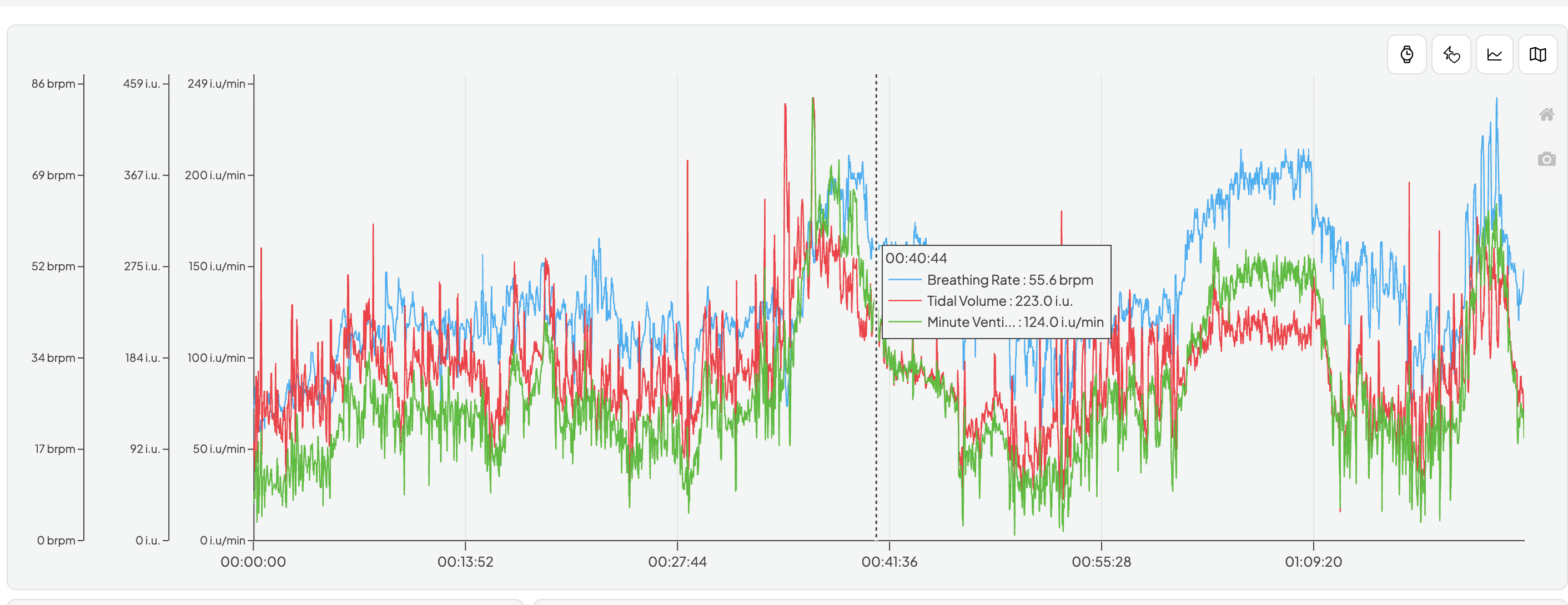
How to See Tymewear Data in Vekta
To make sure Tymewear breathing metrics show up in Vekta, your session needs to be recorded in a way that writes ventilation metrics into the .FIT file.
As of June 2026, only Garmin and Wahoo support Tymewear fields.