
Athlete Profile
The Athlete Profile provides a comprehensive view of an athlete's current fitness, training zones, and key performance markers across Cycling, Running, and Swimming.
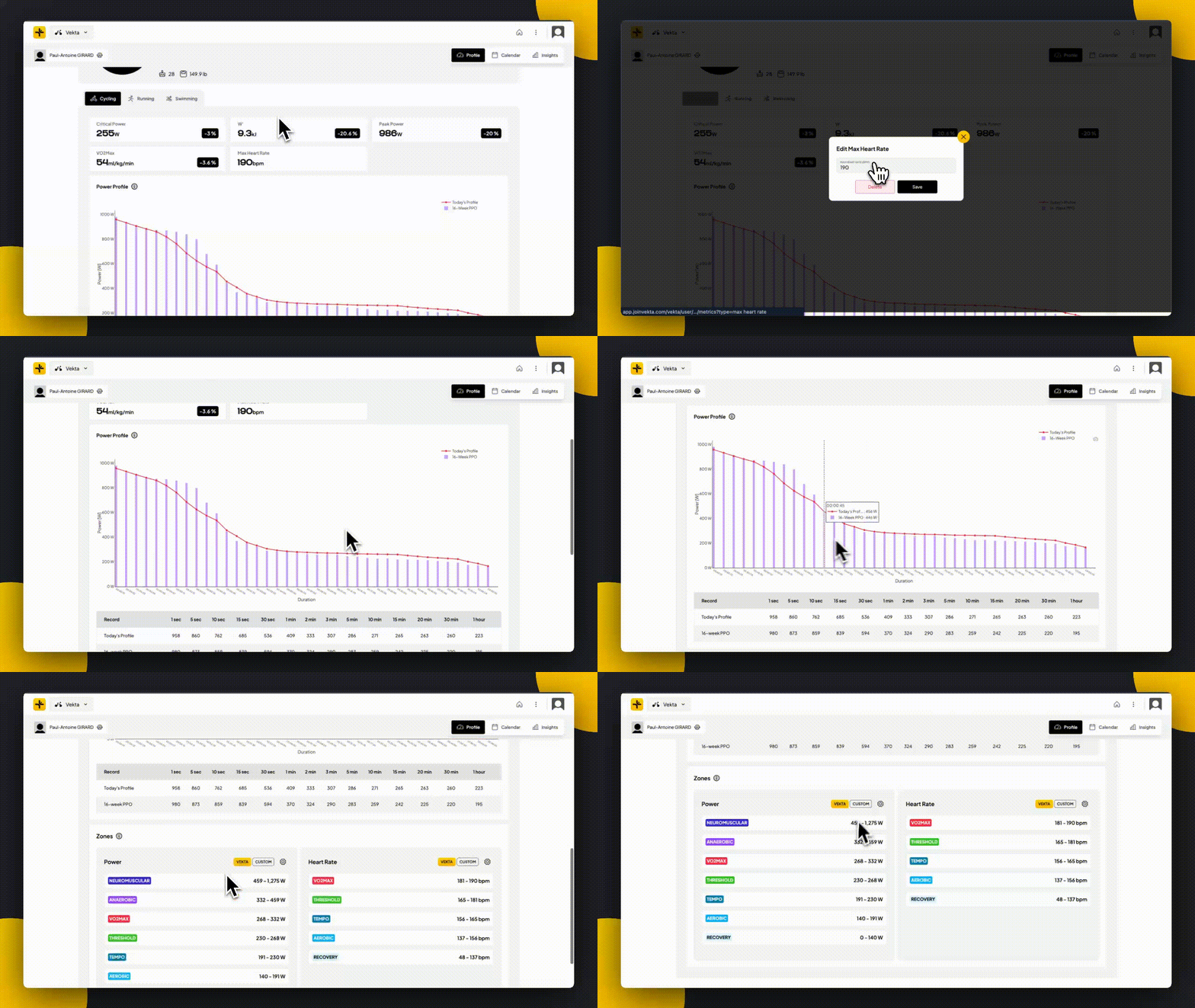
Accessing the Athlete Profile
From the top-right corner of the screen, select an athlete's profile to open their data. Use the sport-specific tabs to toggle between Cycling, Running, and Swimming views.
Key Performance Markers
Cycling:
Critical Power (CP), W Prime (W'), Peak Power and VO2 max automatically update whenever a change is detected. You can manually add Max Heart Rate. Learn more about Critical Power & W Prime.
Running:
You must manually enter Critical Pace and Max Heart Rate and Critical Power.
Tools: A Critical Pace calculator is available to help determine these values based on three maximum efforts.
Swimming:
You must manually enter Critical Pace and Max Heart Rate.
Cycling Power Profile
The Cycling Power Profile acts like a fingerprint of performance, showing best efforts across different durations. Compare today’s estimated profile (red line) against an athlete’s 8-week history (purple line) to track changes over time.
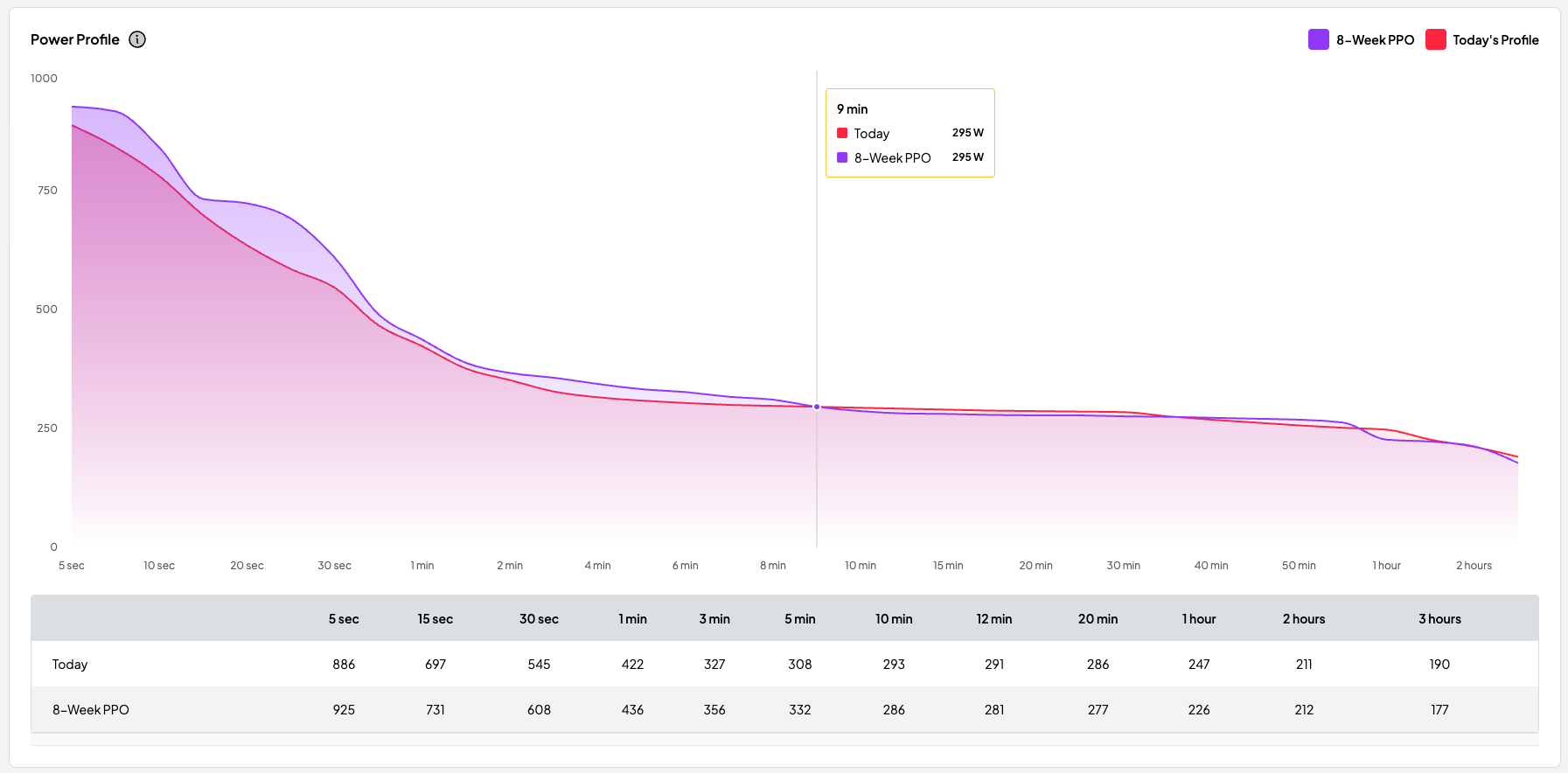
30 rides with power data are required to generate today's estimated power profile. Learn more here.